Ever wondered how to make a personalized gift that feels rustic, cozy and heartfelt? This Mod Podge photo transfer to wood project is one of my absolute favorites! It’s budget-friendly, simple enough for a weekend DIY, and turns your favorite memories into beautiful, personalized wood decor.
I recently found a new way to use photos and a free printable in our home! Transferring a photo to wood is a cool way to create any kind of photo decor. I love that you can personalize any type of gift with this simple, inexpensive Mod Podge transfer method.
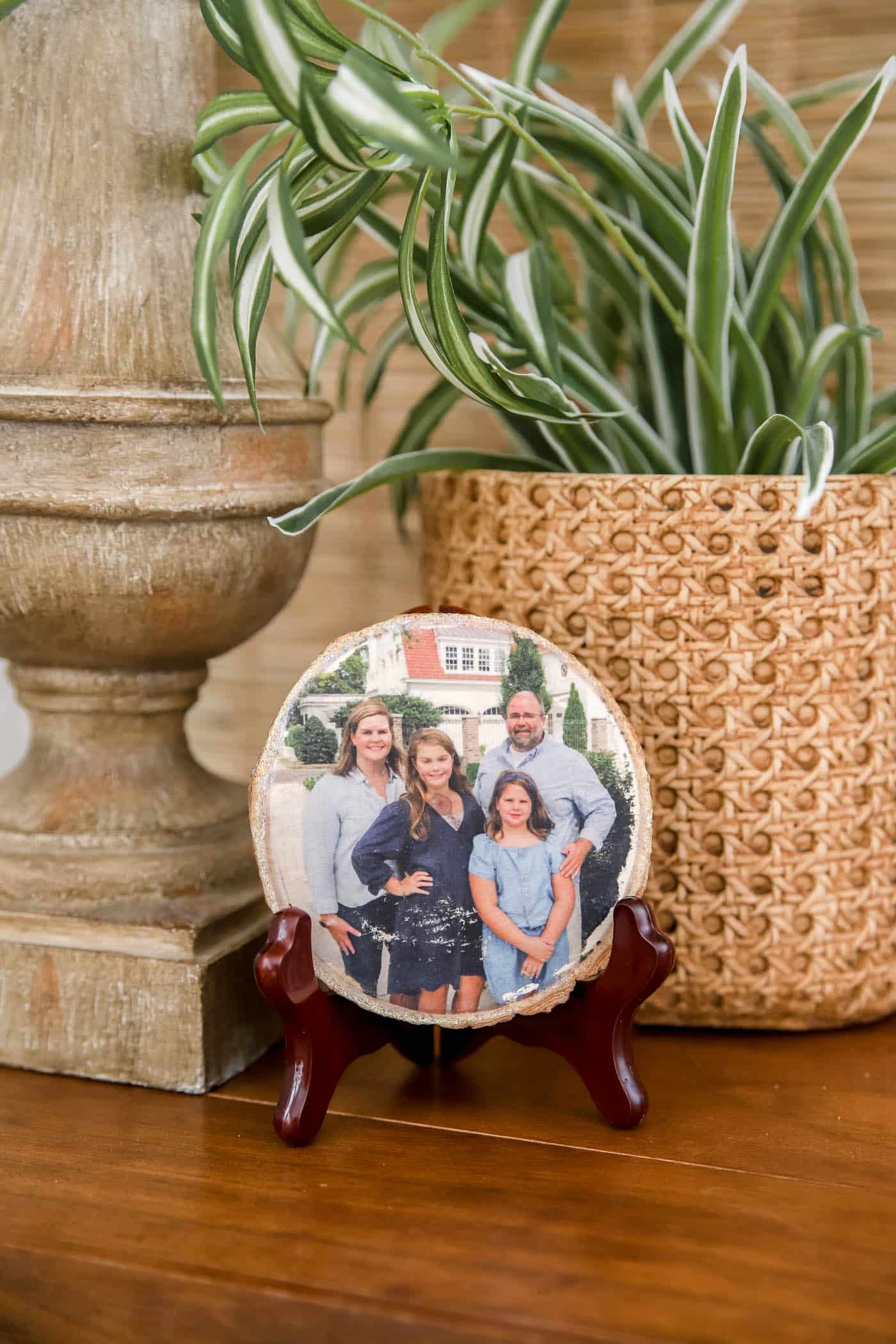
It’s literally six quick steps. The hardest part is waiting for it to dry, so just plan ahead a little and you’ll have a gorgeous new piece of decor! Or use it to make gifts for friends and family!
Update: I’ve since found a method that speeds things up, so you don’t have to wait quite as long. I recently made one of these in under 20 minutes! I’ll share that process below!
If you’ve never used Mod Podge before, it’s basically a watery glue that dries clear. It comes in matte or gloss finishes, and I always prefer matte for these projects.
There are countless options and creative ideas for using these photo projects. Any sentimental photo would make a great gift transferred onto wood! I share my favorite ways to display these wood pieces at the end of the post.

What Is a Mod Podge Photo Transfer?
A Mod Podge photo transfer uses Mod Podge medium to move a printed image onto a wood surface. It creates a vintage, worn-in look that’s perfect for farmhouse decor or meaningful handmade gifts. All you need is Mod Podge, a photo and a little patience!
Supplies You’ll Need for a Photo Transfer to Wood Craft
- Mod Podge
- Laser Printed Photo or Image (Inkjet won’t work for this method. Print it as a mirror image on thin paper. See more notes below in Step 2.)
- Unfinished Wood Surface – These small round wood slices would make great Christmas ornaments or gift tags! I chose this wooden plaque for one of my projects.
- Scissors
- Burnishing tool (like a credit card or an old gift card)
- Foam Brush or Small Craft Brush
- Washcloth or Paper Towel
- Hair dryer, optional
- Drill and drill bit, optional
Steps to Transfer a Photo to Wood
1. Gather Your Supplies
Order or buy your wood pieces. I like these wood slices with rough edges, but you can use any wood block, plaque or round for this project.
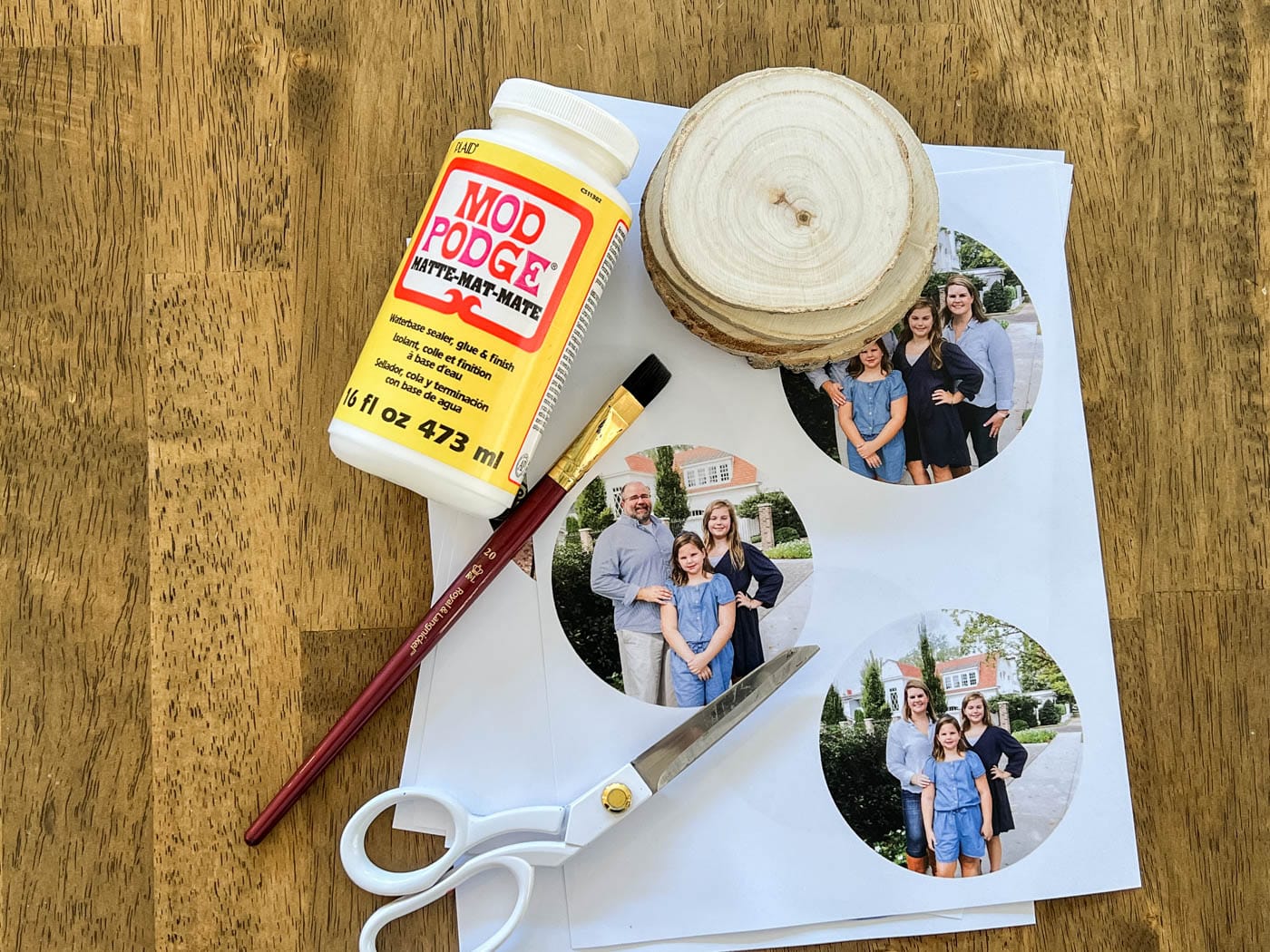
Also grab your Mod Podge, a paintbrush and a cloth or sponge. You’ll obviously need your photo too, which we’ll cover in the next step.
2. Choose & Print Your Image or Photo
Make sure of a few things before you print your photo or image:
- Mirror the image if the direction matters. Art with words needs to be mirrored, but for a photo it often doesn’t matter. If you need a good photo editing program, I really like Canva or PicMonkey for a very user-friendly way to crop and edit images.
- Resize the image on the page if needed. I create 4-inch photo circles in Canva because my wood slices are about 4 inches in diameter.
- Print your photo or image with a laser printer. An inkjet printer won’t work, and I don’t have one at home, so I had my photos printed at Staples.
- Use regular printer paper. You want the paper to be thin (about 22 lb.) so it’s easy to rub off once it has adhered to the wood.
- Cut out the photos with scissors.
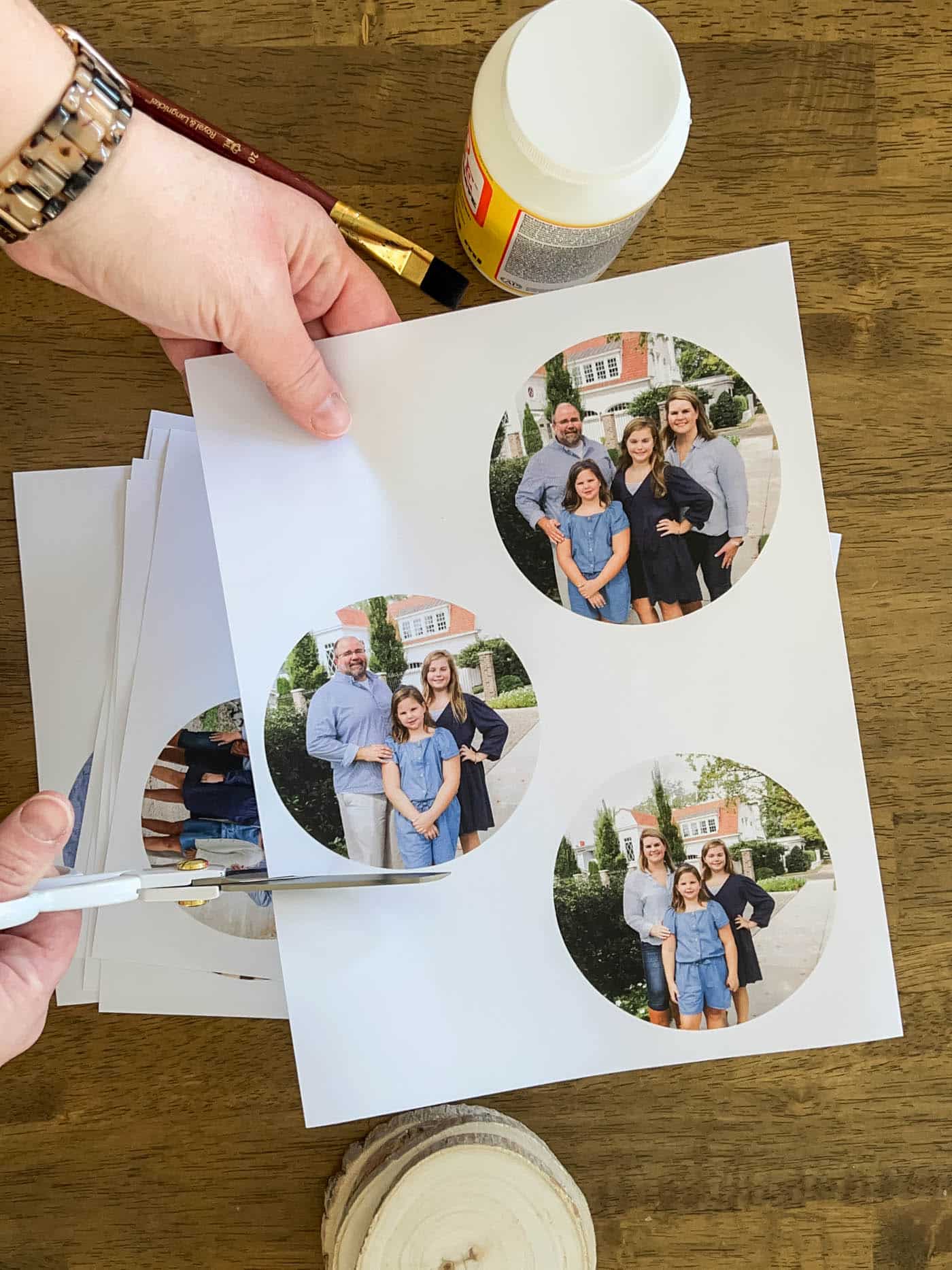
3. Adhere Your Photo to the Wood with Mod Podge.
Paint a medium layer of Mod Podge on the wood until it’s completely covered. Not too thin and not too thick.
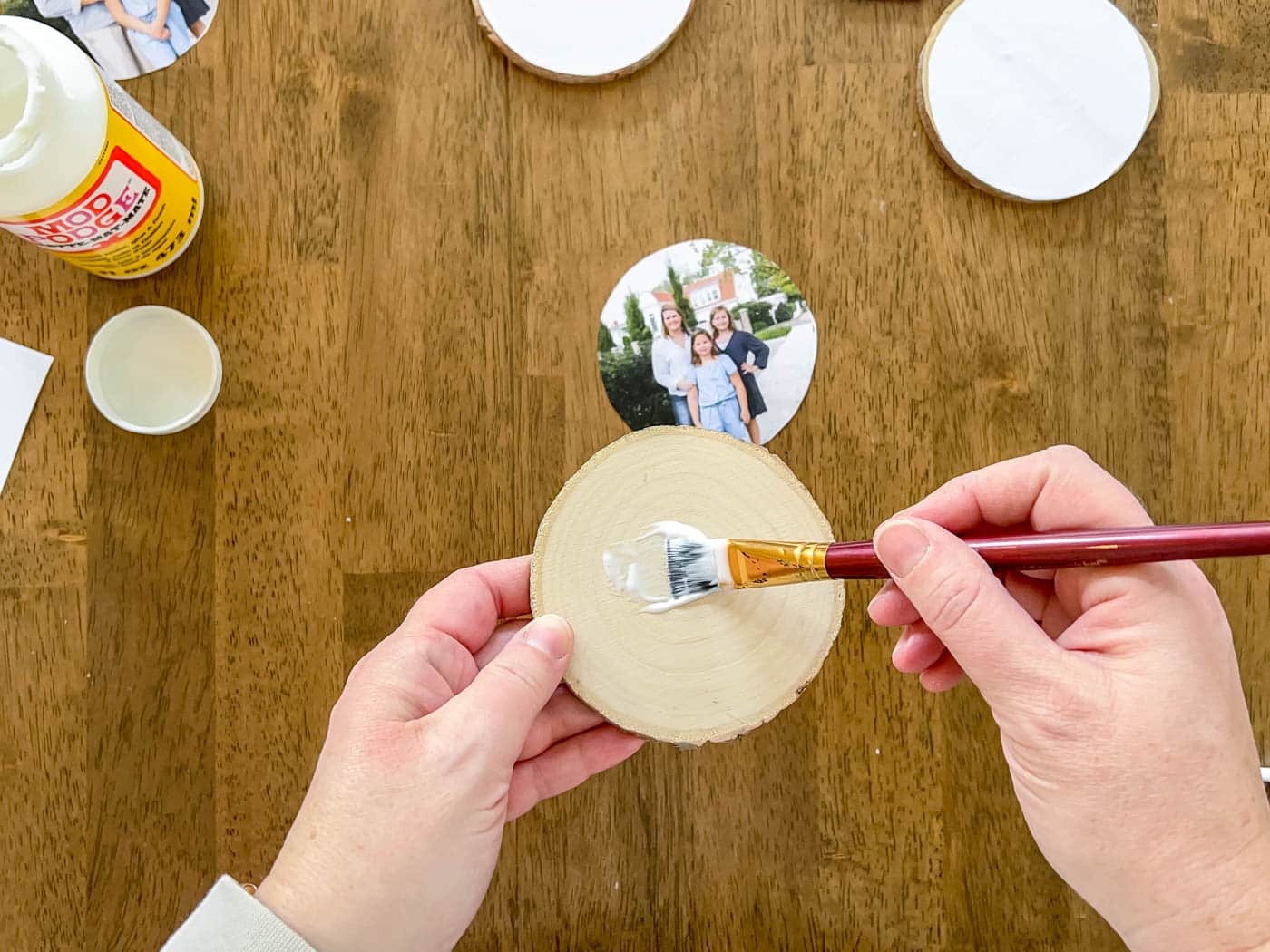
Then place the photo face down on the wood slice.
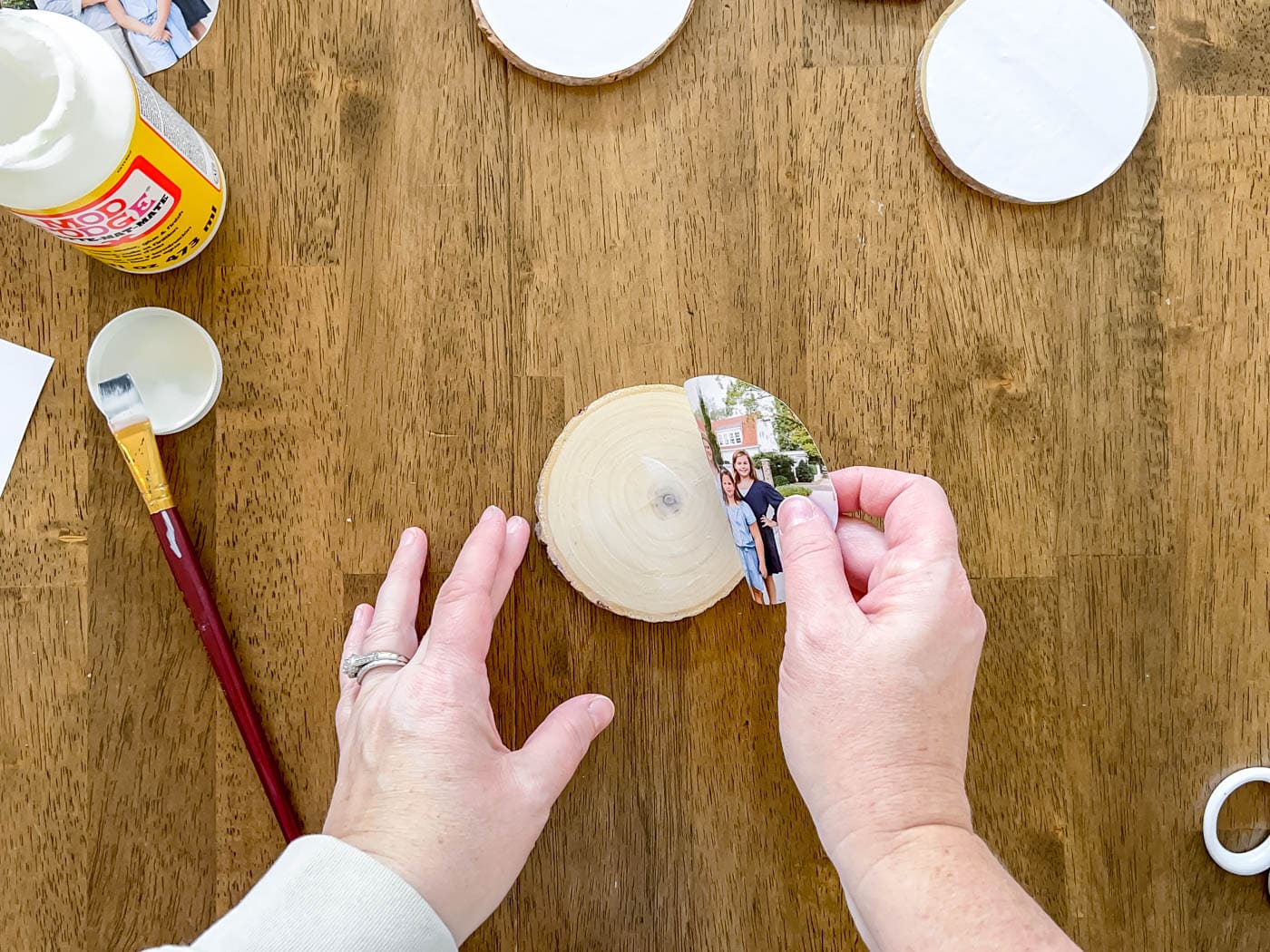
Press out any air bubbles with your fingers or a credit card. Wherever there’s an air bubble, the photo won’t adhere to the wood.
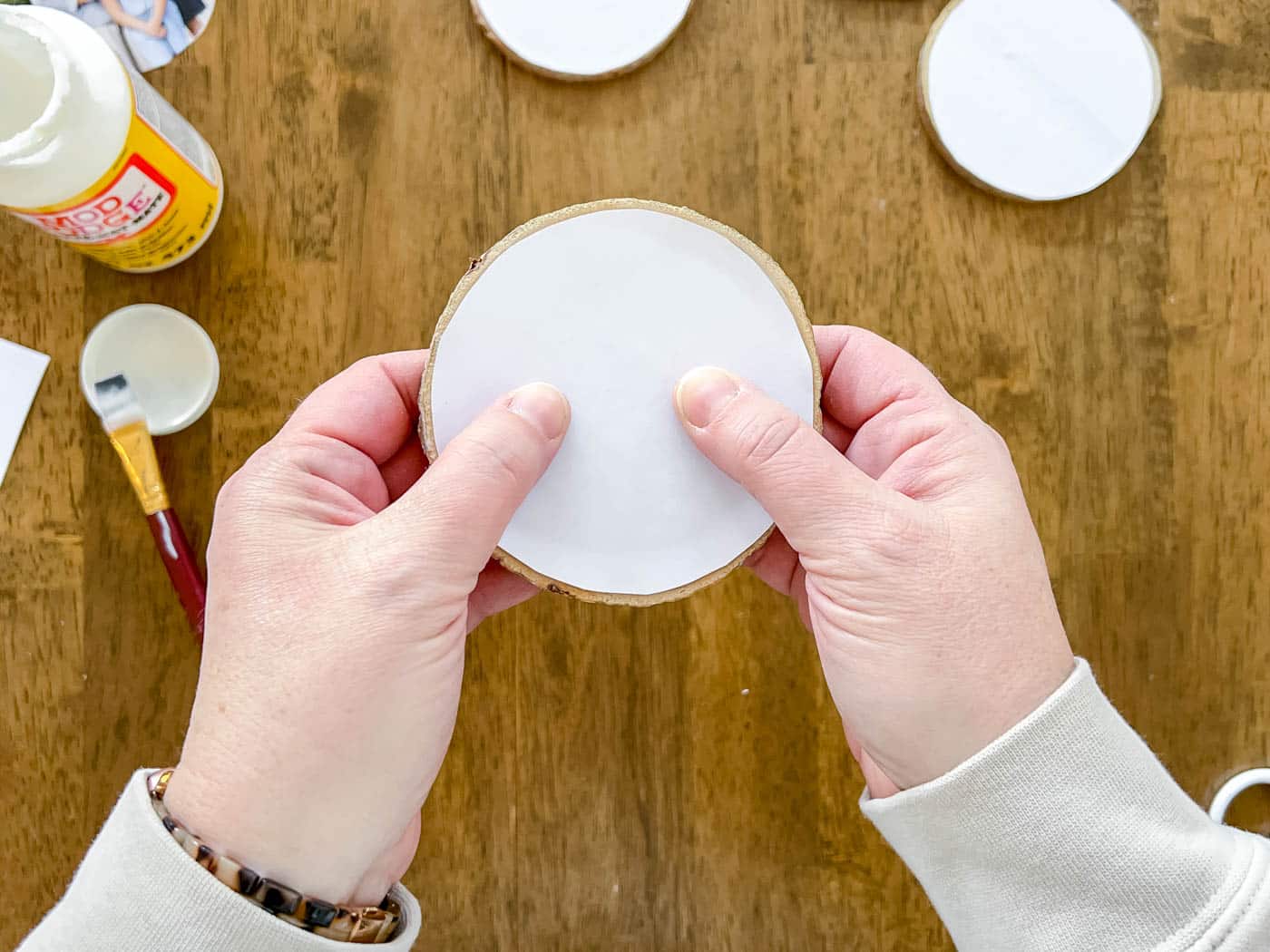
4. Allow the Mod Podge to Dry Completely
I’ve seen tutorials recommend letting the Mod Podge dry anywhere from 24 to 72 hours. I let mine dry for about 48 hours and it turned out perfectly. Use your best judgment, but I believe the longer you leave it, the better the final project will turn out.
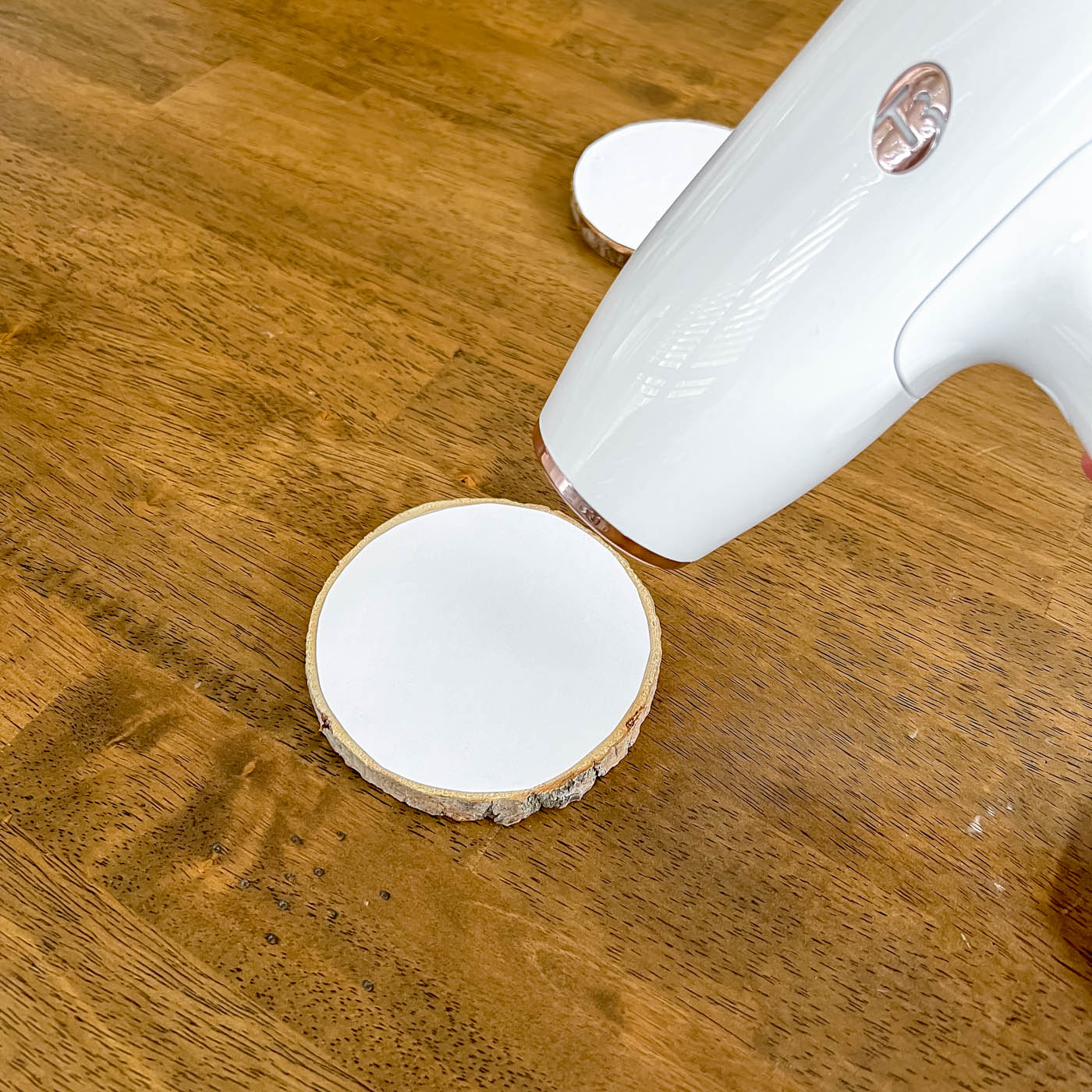
Quick Tip: Use a Hair Dryer
You can use a hair dryer to speed up the waiting. I dried my wood slice for about 2 to 3 minutes on medium heat until the photo was adhered really well. Then I let it cool before moving to the next step.
5. Rub Away the Paper Backing with a Damp Cloth
Once the Mod Podge is completely dry and cool, it’s time to remove the paper backing.
Wet a washcloth or paper towel and wring out the excess water. It shouldn’t drip, but it should be damp enough to wet the paper.
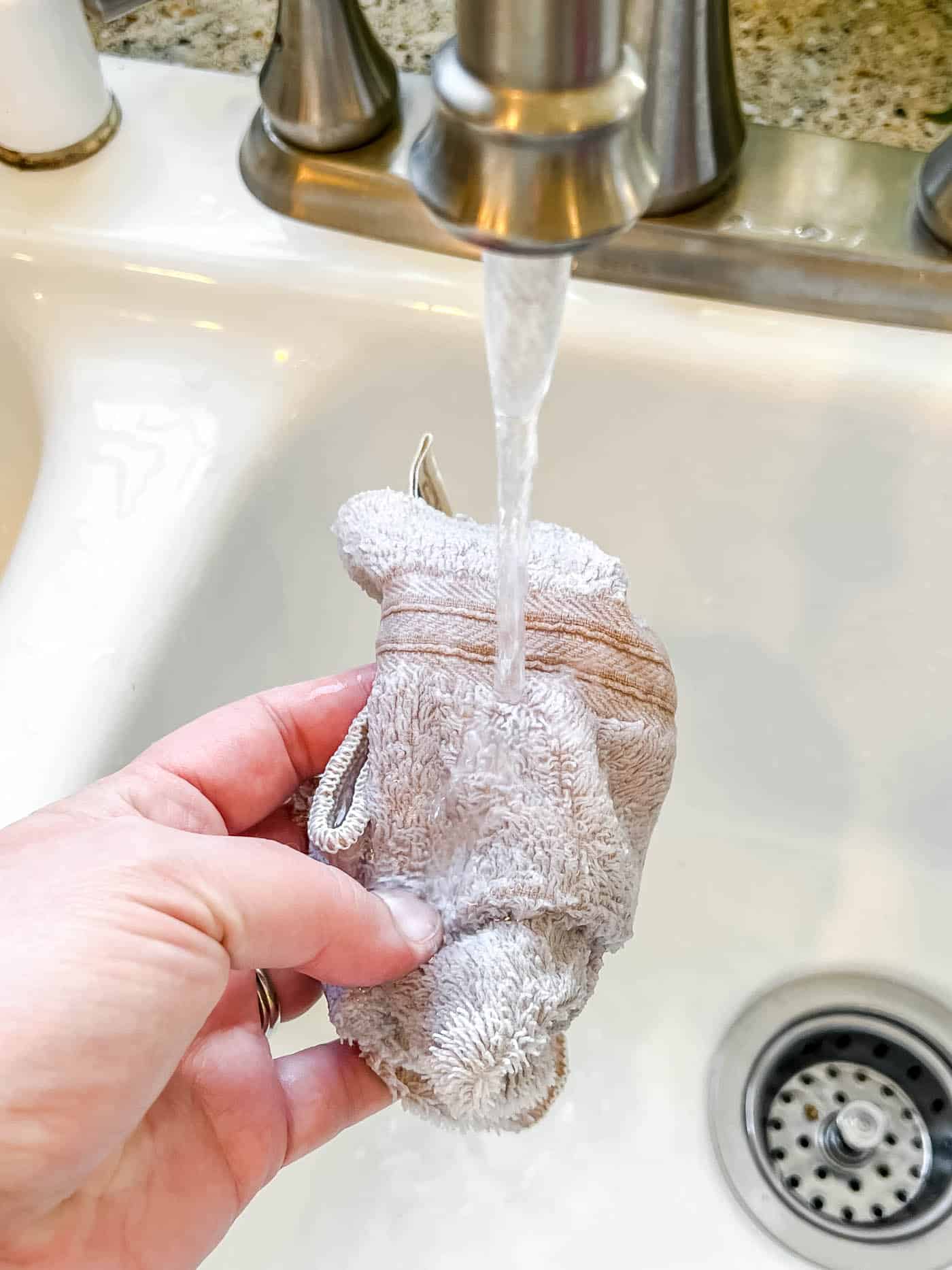
Then start gently removing the paper a little at a time by rubbing softly. It’s easy to rub too much and remove the image completely, so take your time and go slowly.
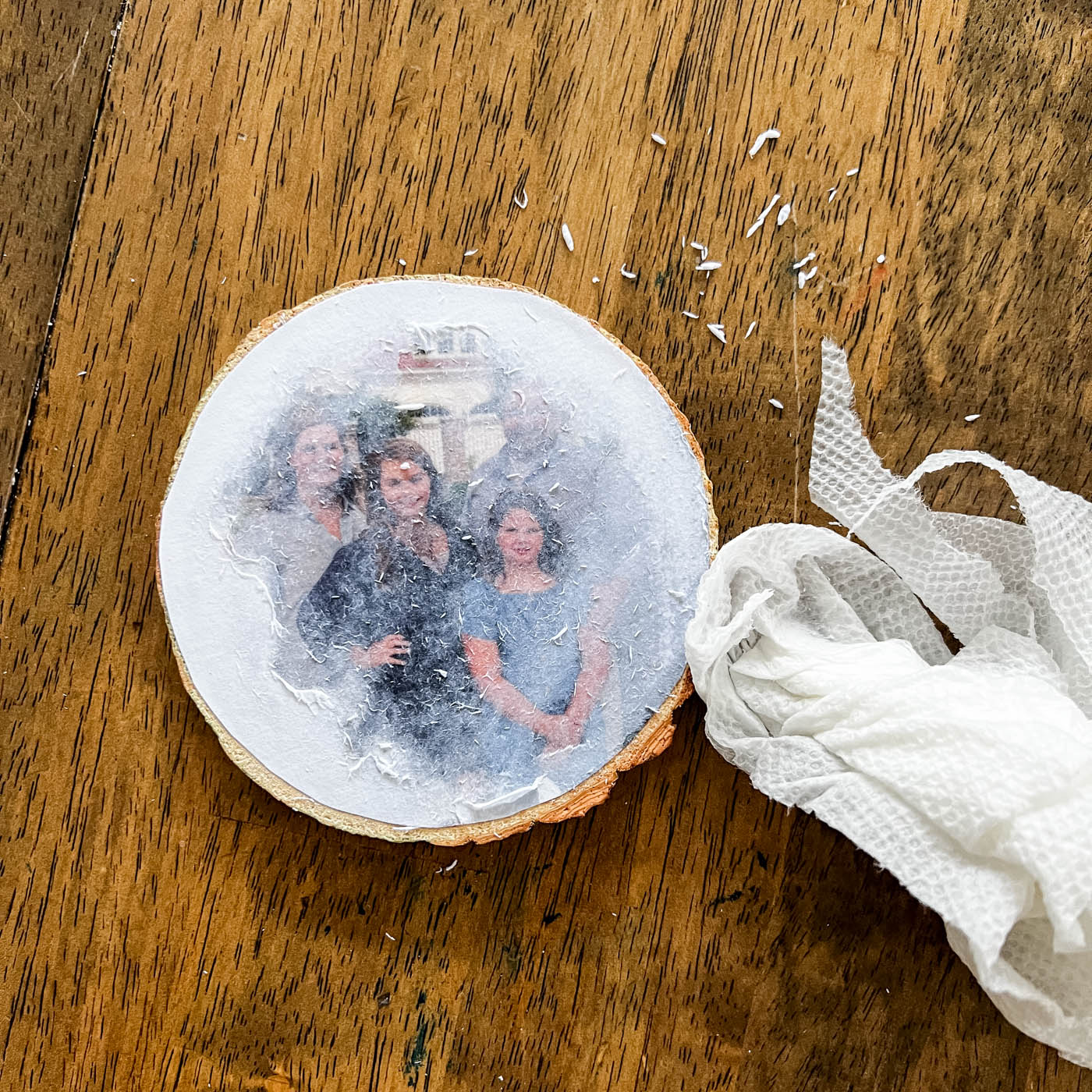
You’ll likely need a few passes at this step, because once it dries you’ll notice paper fibers still on the wood. Keep going over it gently until all the paper is gone.
I could run my fingers over it and tell whether any paper was still left.
If you start to scratch the image, be more careful. Or you can always go with the rustic look.
6. Use the Mod Podge as a Sealer
If you want your piece protected from dust or water damage, paint a thin layer of Mod Podge over the top. It will keep the piece sealed and looking nice for years to come!
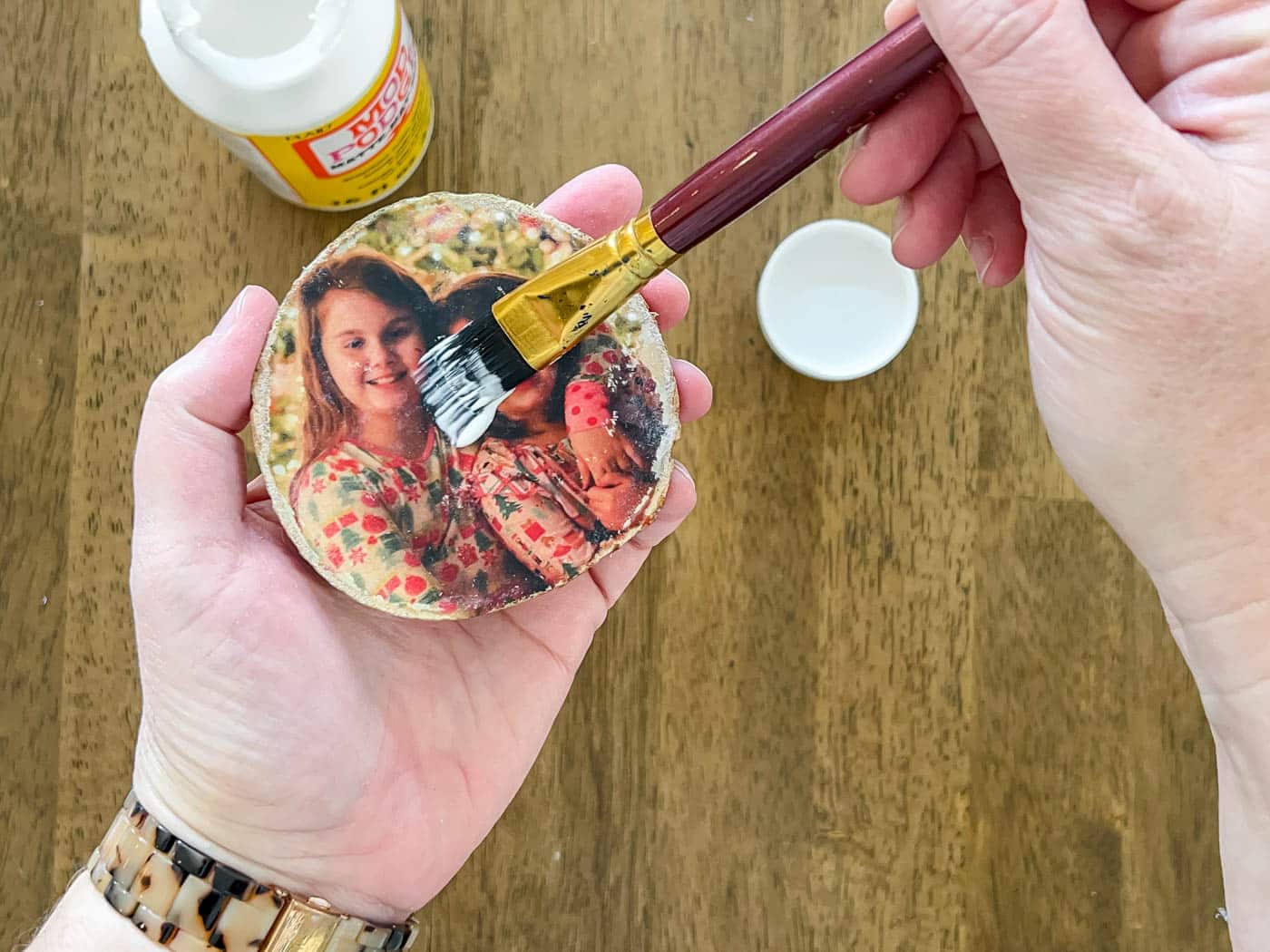
I think the final product turned out beautifully, and I love that it was such an easy project (even kids can help make them)!
Now I have a million ideas for how to use this method to create pretty things for my home! I’m going to use more photos of my family as gift ideas, and I can’t wait to share those with you soon!
FAQs About the Mod Podge Photo Transfer Process
Question: Can I use Mod Podge Photo Transfer medium or the original Mod Podge medium for this project?
Answer: You need the original Mod Podge medium for this craft. The newer Mod Podge Photo Transfer medium is made for transferring laser photos to fabric, not wood!
Question: What kind of printer do I need for a Mod Podge photo transfer?
Answer: A laser printer works best. Inkjet ink will smear or dissolve in the medium.
Question: Do I need photo paper for this craft project?
Answer: Absolutely not! The thinner the paper (like 22 lb.) the better! Use regular printer paper, not cardstock or photo paper.
Ideas for Displaying a Photo Transfer to Wood Craft
1. Make a Decorative Plaque
For this example I used my fall wreath printable, because it was already mirrored. But you can use anything you like. If you need to reverse an image, I’ve always used PicMonkey. If you don’t use PicMonkey, just do a Google search for “how to mirror an image”.
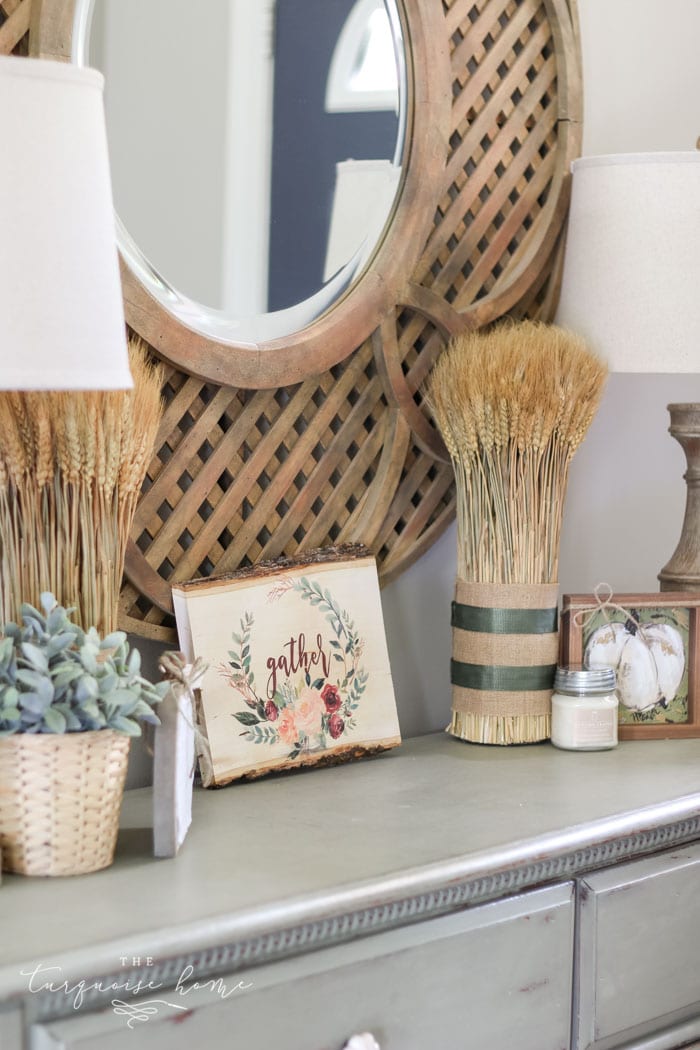
I love making beautiful home decor from things that are free or that I already have around the house. That’s why I LOVE decorating with free printables. Cheap & easy, and all you need is a good color printer.
Grab the Free Fall Printables
You’ll get access to the printable I used in my example, plus two more! I’ve even mirrored them for you already.
Get Them Now!
Access ALL of My Free Printables
Sign up for emails and get access to more than 100 beautiful free home decor printables. Use them for cards, gifts, decorating your home and more!
Grab the Free Printables NOW!
Note: When you open the printables, look for the files with “mirrored” in the name.
** If you’re already a VIP email subscriber, you can find these printables in the free printable library. Access to it is included at the end of every email I send.
2. Place a Photo on a Wood Slice in a Stand
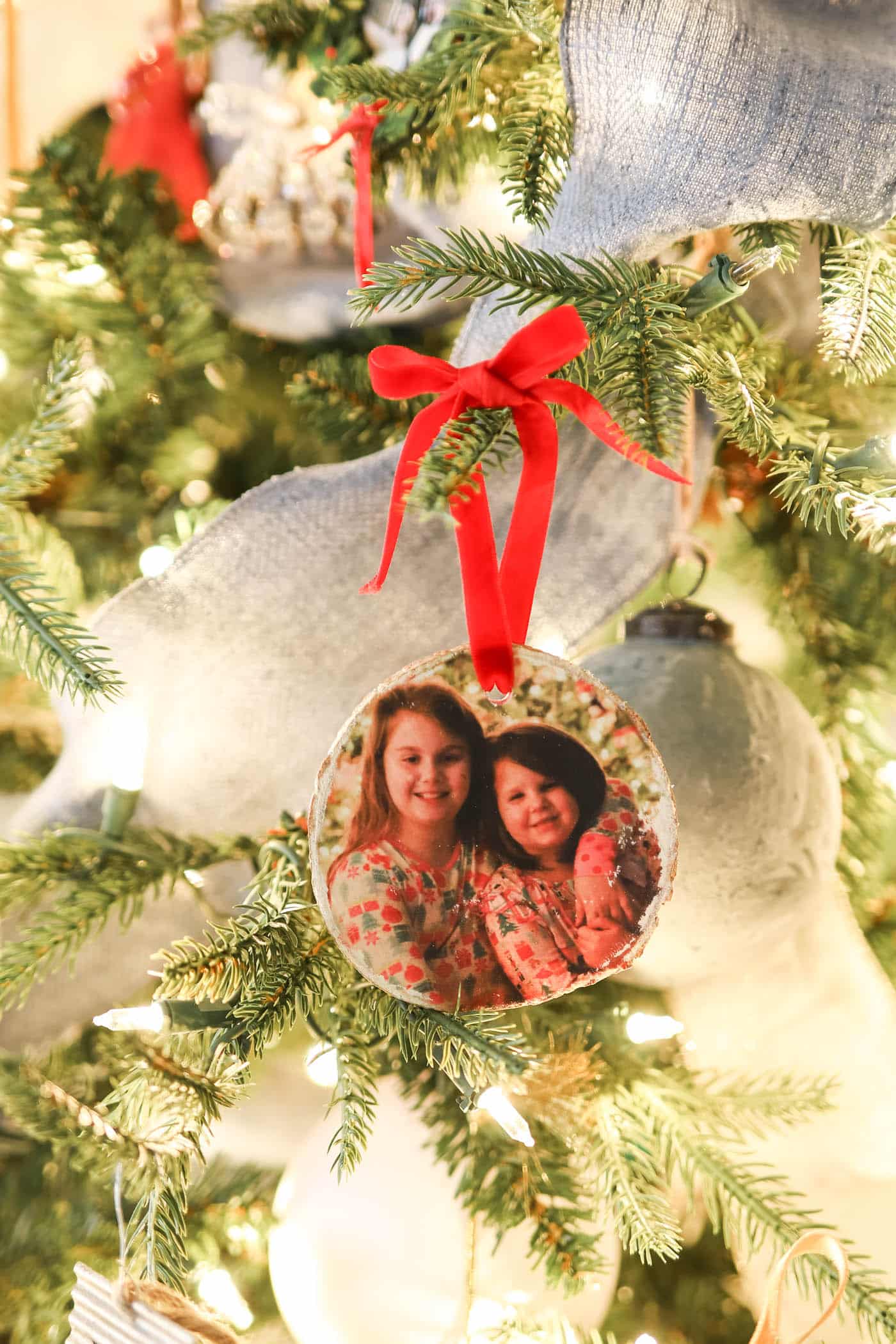
3. Hang a Christmas Ornament
If you want to make yours into an ornament, simply drill a hole in the top of the wood slice. Then thread some ribbon through the hole and hang it on the tree! It’s a wonderful gift for grandparents or parents!
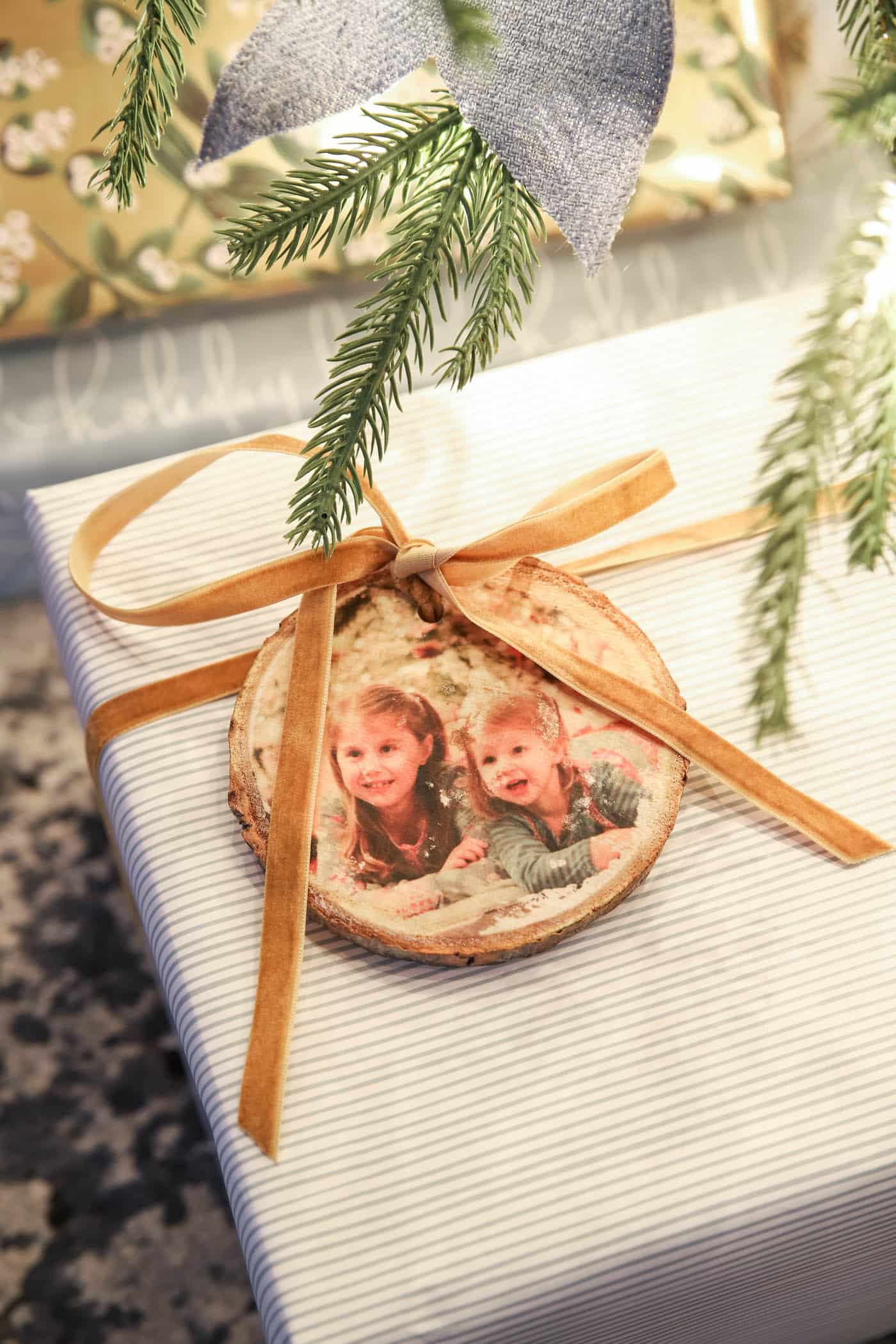
4. Decorate with a Gift Tag
Find a picture of the gift recipient and make a personalized gift tag for them! It’s a fun way to tell whose gift is whose… just look for their face!
I hope this Mod Podge photo transfer tutorial inspires your next cozy DIY! If you try it, tag me on Instagram or leave a comment below. I’d love to see your beautiful photo creations.
More Craft Posts You Will Love: